Document Translation and Scanning
Scanning Documents for Translation
If you are considering using translation software it's preferred to have your documents in digital format or already available as a file you can open on your computer.
Many times this is not possible, so you must use a scanner to scan a document and then use OCR Software (Optical Character Recognition) to take a picture of the text and then convert the pictures of the letters to text format. Once it is in text format then translation software can read the text and translate it for you.
When scanning documents you must use a good OCR software that can recognize the different accent marks or characters of the language. If you are translating European languages may use a different software than you would use with Russian or Asian languages.
During the scanning process the OCR software can introduce extra characters causing inaccuracies. Even a smudge on a document can cause the OCR software to add a few letters.
If you scan a document, you must make sure the text is accurate BEFORE you use translation software to translate the document.
Four Steps to prepare your scanned document for translation.
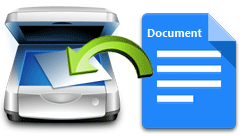
Step 1) Scan your document, use the cleanest copy you have, smudges or lines can cause the OCR Software to make errors.
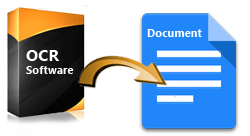
Step 2) Instruct the OCR Software to convert it to text.
Step 3) Proofread the scanned document and correct any errors. The accuracy of OCR software can vary and there are usually corrections that need to be made.
Step 4) Once the document is in text you can open it in MS Word and click the SYSTRAN Translate and perform translation. With SYSTRAN Software you can translate any text.
With the explosion in available data, Systran is also the number one choice for companies and government agencies requiring a solution for translations in data mining and eDiscovery. With a translation API built into your project you can analyze, mine & visualize data in foreign languages in seconds.
SYSTRAN Demos
We can set up a quick test to show you how to work with translating scanned documents.