The Software for Professional Translators
With the global economy becoming a strong force to be reckoned with and technology connecting people everywhere worldwide, it has become increasingly important to reach out beyond our own borders and welcome the business of overseas customers.
That's why SYSTRAN makes every effort to provide the most advanced technology in the industry of international communication. It is, in fact, the best-selling translation software in the world for some very good reasons. Read on to find out what makes SYSTRAN the Professional's Choice.
Looking for the Best Professional Translation Software?
SYSTRAN is the perfect solution for professional translators who are looking to save time on translation projects. The variety of advanced tools included help return a translation that you can really work with.
Unlike other platforms that have an extremely slow and painful editing process, SYSTRAN gives you complete control over the results to ensure they are as accurate as you want them. What makes it so powerful, is the ability to memorize and store all your post-editing efforts so that any previous error you've corrected doesn't happen again.
While other software can merely provide an understandable (gisting) level, with SYSTRAN you can achieve a higher level of accuracy with every use. Discover how its powerful tools can help you increase your productivity by significantly reducing the time it takes to translate content.
Translation Tools for Professionals
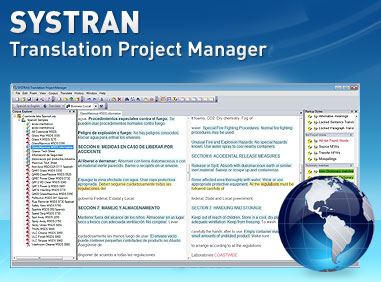
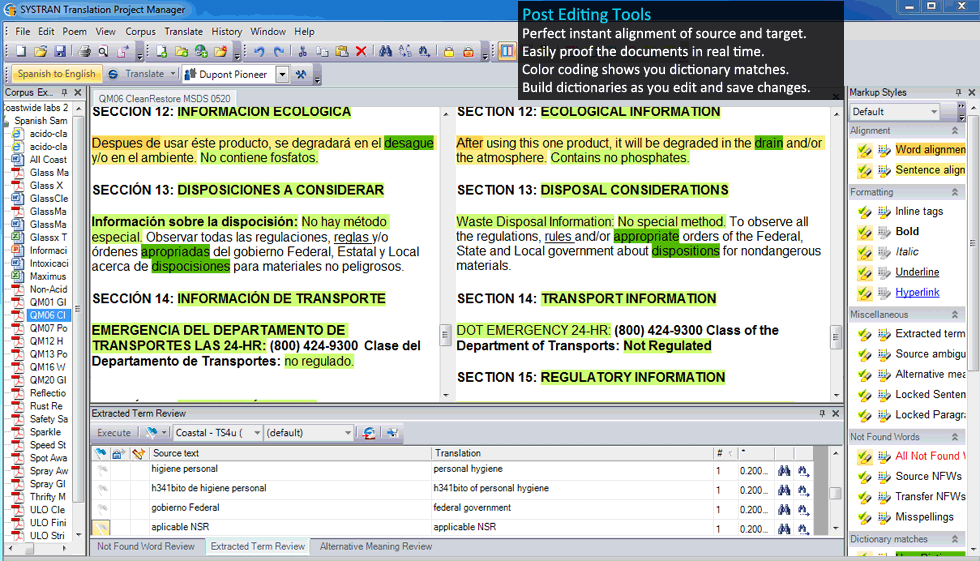
The SYSTRAN Project Manager gives you a complete and intuitive post-editing enviroment that allows you to manage your projects without any hassle. Perfect for easy document review and building your custom dictionaries to reach a higher level of accuracy.
- Side by Side Alignment
- Post-Editing Enviroment
- Comprehensive Term Extraction
- Alternative Meanings Displayed
- Powerful Analysis helps to Automatically Build Dictionaries
- Color Coding for Easier Review and faster Proofing
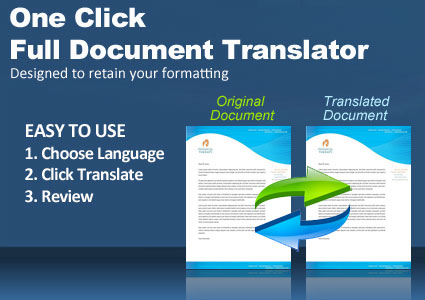
- Print the Original and Translated Document side by side
- Batch up to 100 files at a time (unlimited with the Enterprise API)
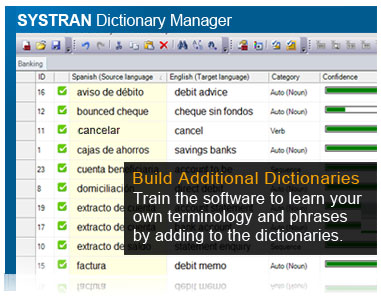
Build 3 Types of Additional Dictionaries
 User Dictionary - Create your own custom dictionaries with industry-specific terminology and phrases to train the software and improve accuracy. Powerful features give you control over the part of speech for contextual translations. Use the import / export feature if you would like to add your existing dictionaries.
 Normalization Dictionary - Excellent for normalizing text before or after translation. For example, "online" can be changed to "on-line" in source and target.
 Translation Memory - Build Translation Memories (TM) with your sentences or segments and store them for use in future translations. Save valuable time by not having to translate or edit the same sentences again. Supports the industry standard TMX format so you can import or export your existing TM.
Technical Dictionaries Included
SYSTRAN already comes with a huge general dictionary, but you will love the additional 21 Technical Dictionaries. These are packed with millions of addtional terms, expressions, and alternate meanings that are included with the Premium and Enterprise editions.
- Economics
- Electronics
- Metallurgy
- Mathematics
- Earth Sciences
- Physics / Atomic Energy
- Political Science
- Business
- Financial
- Automotive
- Colloquial
- Aviation / Space
- Naval / Maritime
- Military Science
- Legal
- Medical
- Computers / Data
- Mechanical / Engineering
- Photography / Optics
- Food Services
- Life Sciences
Analysis Tools Makes it Easy to Build Dictionaries Fast
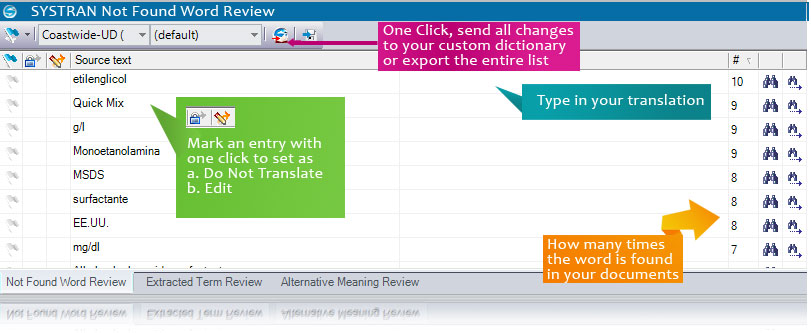
Not Found Word Review
With just one click of a button you can instantly have the software extract a list of terms that could not be translated. These can be terms or acronymns that were not found in the dictionaries. Any term that is not found in the dictionary will be retained in the original language. Add the correct word to the list and then send all the entries to your dictionary with one click! It's Easy!
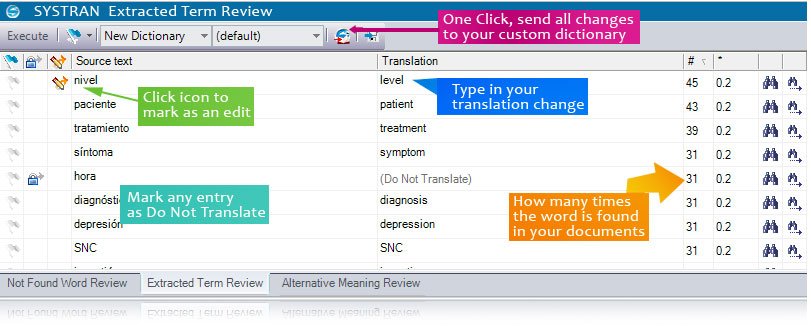
SYSTRAN Extracted Term Review Tool
Review the choices the software made in selecting a default translation. Change the translation by simply typing your term or phrase which will override the default translation. After you have reviewed the list, simply click the "Send to Dictionary" icon and every change you made will now be stored into your own custom dictionary. Future translations will be more accurate as you build your dictionaries.
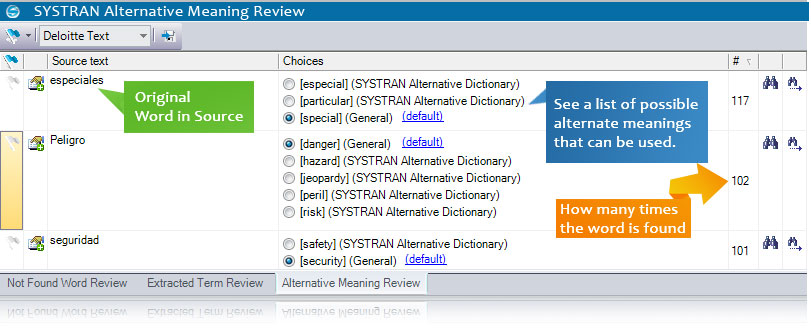
Alternative Meaning Review
The software will give you a list of alternate meanings for words. Simply click to choose the most accurate meaning for your translation. An instant thesaurus for any translator!
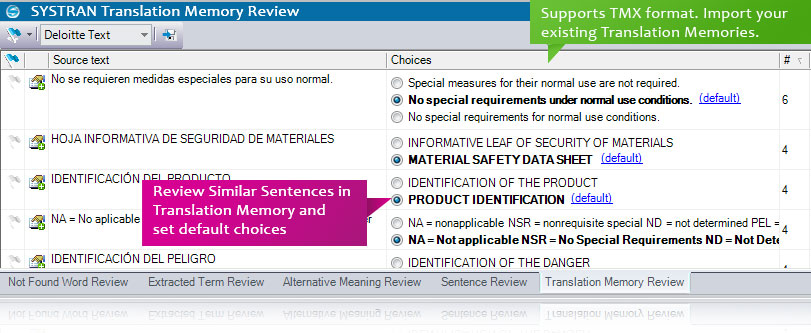
Translation Memory Review
At any time you can compare your translation memory with the current translation in a convenient side by side document view, allowing easy selection of a preferred translation. View the matching sentences that are similar in a document and choose which one you would like to use. You can also see the number of times the sentence appears in the document or group of documents.
Systran's Additional Tools for Professionals
SYSTRAN comes with additional tools that can help take your translations beyond merely understandable and as close as possible to a publishable level.
SYSTRAN is the only software in the industry to provide such powerful tools:
- Systran Training Server - Combine the accuracy of rule based with statistical technology. Move above the gisting level with near-human quality output. (Optional with Enterprise Editions.)
- API - Automate the process and have direct access to the Translation Server. (Optional stand-alone tool or included with Enterprise Editions.)
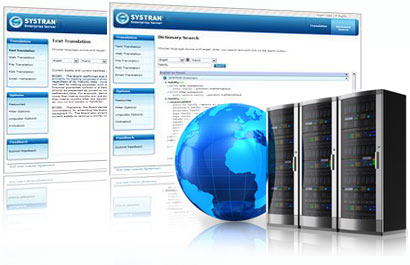
- Cloud Translation Server - Collaborative platform puts you in control, intranet or internet options available.
Ready to get started? Find out more about each of our translation solutions by requesting a personal demonstration.