Translate PDF Files in One Click
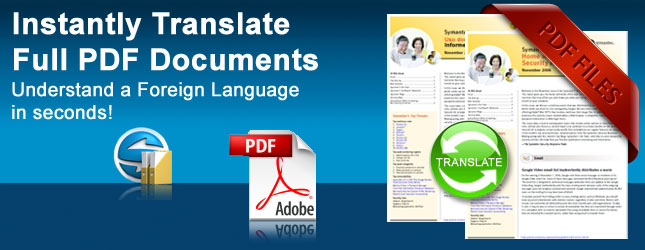
Portable Document Format or PDF is the most popular format used for sending business-critical documents but often language barriers can prevent recipients from understanding the contents. With SYSTRAN's PDF Translator you can rapidly grasp the real meaning of your business correspondence. Translate large documents quickly and efficiently!
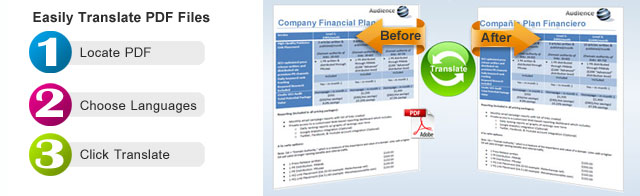
Translating PDF Files in 3 Easy Steps
How it Works
Take any editable PDF file, select the languages you want to convert into and click the Translate button. In a few seconds the PDF is translated and saved on your computer as a "Docx" file that you can open in Microsoft Word to view.
The software is designed to retain the original formatting (some restrictions apply) and the results are very impressive. If you need to convert the newly translated document back into a PDF, simply save it as a PDF file from WORD and the formatting will still be retained.
Key Features
- Translate Full PDF Documents using an easy click-and-go user interface
- Keep your Original Formatting
- Translate Scanned Documents
- Create new Presentation file (does not overwrite the original)
- Duplicates your Images, Text, Charts and More
- Unsurpassed translation speed!
Exclusive tools to enhance translation of PDF Files
- Instant Review for Alternate Meanings
Many terms can have alternate translations. Instantly see list of alternates with the ability to choose the correct term. - Side by Side Alignment for Proofing and Editing after Conversion
Use Microsoft's Viewing Tools to align both documents, the source and target side by side.. - Automatic Dictionary Updates
Constant improvements to the technical dictionaries continue to give you improved accuracy.. - Secure for Confidential Documents
Convert your PDF files without accessing the internet, the software is installed on your computer. So secure that this software is the number one choice for Military and Fortune 500 Companies worldwide.

Important Information on Translating PDFs
- PDF files cannot be Password Protected
Your PDF must be available for editing. If you have a document that is password protected, you can rescan and translate. - SYSTRAN's Built in OCR software Supports Over 140 Languages
Scan your documents and translate instantly. SYSTRAN now includes built in OCR (Optical Character Recognition) Software. Perfect for both Editable and Non Editable PDF files. - If PDF files are non Standard, you can still convert to WORD and then Translate
If you have any issues with PDF files that are non standard, you can convert them to Word before translation. SYSTRAN is designed for business documents, if you have complex formatting, pre PDF conversion to Word may be required.
Don't wait hours or even days for a translation service to handle time sensitive documents when you can instantly use the Systran PDF Translator !
Products that Translate PDF Files:
Professional Version


Enterprise Editions