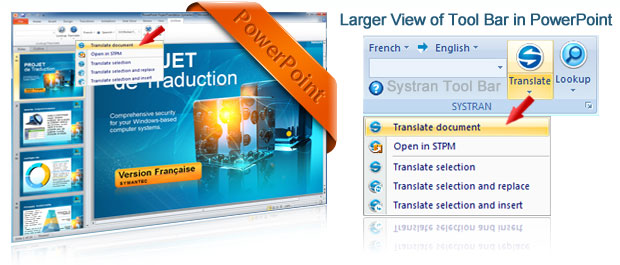
Translate PowerPoint Presentations in One Click
PowerPoint is a powerful presentation software designed for business, classrooms, trainings and personal use. Anyone can create stunning presentations that look like they were created by a professional. Often the slides of a PowerPoint document need to be translated into another language to allow you to reach a wider audience.
With Systran you can open your presentation and translate the complete document with just one click. All the slides are instantly converted into the specified language while the formatting is retained.
Dazzle your audience with multilingual presentations in over 52 language pairs! You can edit and proof the results with additional tools and dictionaries to insure the accuracy.
Very Easy to Use!
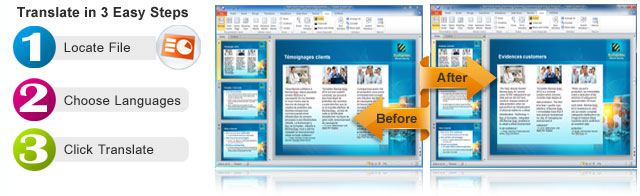
Retain Document Formatting
- Translate Full PowerPoint Presentations
- Designed to keep your Original Formatting
- A New Presentation is created (never overwrite the orignal)
- Duplicates your Images,Text, Charts and more
Quick Excel File Translator Feature
In a hurry? Locate your Powerpoint file and convert it into another language without even opening the document.
Quick File Translator gives you the ability to right click and translate the complete PPT file into the language you require. This take only a few seconds!
Need more? Use one of our more advanced versions to batch translate up to 100 PPT files at a time.
Additional Instant Translation Features
- Instant Translation Shortcut Key
Create a shortcut key that allows instant translation of any highlighted text. Excellent for single text boxes that might be on another layer.
- Side by Side Alignment for Proofing and Editing after Translation
Use Microsoft's Viewing Tools to align both of your presentations side-by-side for easier proofing and editing. If you have the Professional version you can get perfect alignment with the SYSTRAN Project Manager.
Join the millions who are using SYSTRAN and are already saving thousands of dollars in translation costs!
Programs that Translate PowerPoint Presentations:
Essentials
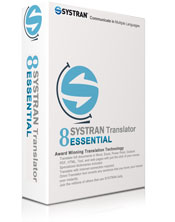
Perfect for small personal translations.

Professional
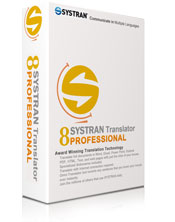
Higher accuracy with additional dictionaries.

Enterprise Editions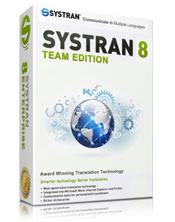
Professional level accuracy with improved technology.